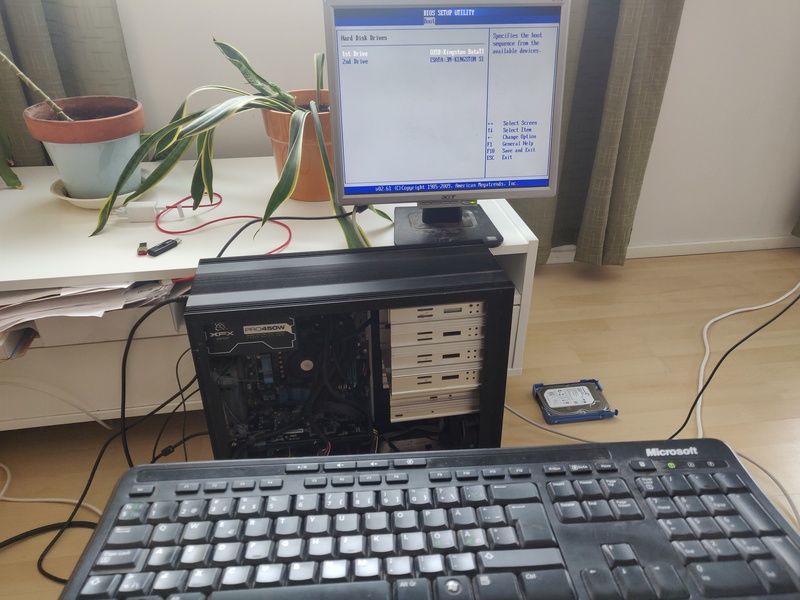
Another day at work. There have again been some problems with the local server at the neighbouring milling company. I managed to resurrect the server, and then went on setting up another machine holding a back-up copy of the server. (So far different parts of the data has been automatically backed up at different locations, meaning that my back-up plan has been: Make a fresh install of the OS, then restore all the data from all the backups. But now I decided to go with having a fully operational full system backup available all the time, as a separate computer I can physically access. But I still need to study a bit more to learn to do it the way I want; for some reason I'd love the backup machine not running constantly, but just running on a minimal OS booted from an usb drive. And that backup system would then once a day mount a hard disk, copy files from the main server to that local hard disk, and then unmount the backup hdd. So, most of the time the backup hdd should be inactive, hopefully prolonging its use time)


Follow us
Elk News - the email newsletter
Subscribe to the Elk RSS feed, including blog posts, pictures and videos.
Titles only
Full content
Comments aren't included in these feeds. For them you can click the RSS icon in the Recent Comments box.
Our videos at
YouTube
Comments
A few years ago I came with a decent solution for this problem:
first, the backup machine is set up to either accept etherwake packets or a run crontab job both at boot and daily (while the machine is powered up, of course) which runs rtcwake to set up a wake-up timer at the machine's RTC clock;
then, you can either wake up the backup machine with etherwake or wait for the rtc timer to wake it up, copy data over to it using rsync or something similar, and suspend it to sleep.
As far as I know, ACPI sleep uses about as much energy as leaving the machine plugged but turned off; The only extra stuff running is the refresh circuits for the memory, which is powered by the stand-by power supply and uses very little energy. The only drawback of such a system would be if a power outage happens, the backup machine needs to be manually powered up and then suspended. This can be made easier by remapping the power button to suspend the machine instead of powering it off, so someone at the mill would only have to press the power button, wait a couple minutes until it's fully booted, and then press the button again so it suspends. A more ideal workaround would be having some kind of battery powering the backup machine, and maybe telling the machine to go to sleep in case it detects it's running on battery.
Interesting design, thanks for sharing your thoughts! At the mill the main server is connected to a battery pack, so that if the mains power goes out the computer will run on the battery, and the battery pack sends a signal telling the computer to shut down in an orderly manner.
For the backup computer I'm still studying how to customize a iso image. I think it would be nice to have a minimal OS and all the backup scripts in a single iso image, so that if I ever need more copies of it I could just write the iso image on a bootable usb memory. So, the backup system itself would be safely backed up, easily replicated.
Add new comment